
The Clickbank affiliate network was created to accommodate the swiftly growing affiliate industry.
And ClickBank, although it’s not as well-known among the general populace as some of the other affiliate networks, it is actually one of the more well established in the eyes of many affiliates.
When Did This Affiliate Network Start
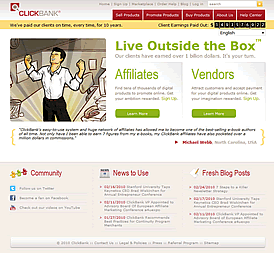 This is a company that was founded in 1998, when the internet was only just taking off in a big way. But even in those early days, this company knew there would be a future in creating an online marketplace where businesses could sell their digital wares.
What Types Of Products Are Sold
Most of the products sold in this fashion are e-books, though some companies also market software as well as memberships and subscriptions.
ClickBank processes an average of about 20,000 orders per day. Ever since 2007, daily sales of $1 million are a fairly regular occurrence.
Obviously, the organization had the right idea, back in 1998, and that early experiment has turned into a smashing success.
How Does This Network Actually Work?
It brings together vendors with their wares to sell, along with people who want to buy such products, and the affiliate marketers themselves, who are ready to take those products and promote them out on the web.
By doing this they get a commission from every sale they make. These affiliate marketers aren’t employees of either the vendors or the ClickBank affiliate network, but are very often bloggers who want to earn a little extra money through the promotion of products.
What these marketers do is sign up on the ClickBank website. Once they’ve got an account, they go through the ClickBank Marketplace, an extensive list of available products placed at the site by vendors, and choose the one(s) they want to promote. At that point, they can create what is called a “HopLink,” which is the code for an ad they can place on their blog or post in forums or other sites they visit.
Any time anyone clicks on that link and buys that digital product, the affiliate marketer earns a commission set by the vendor. This could be anywhere from 1% to 75%, with the minimum commission being 25 cents and the maximum being $100.
Vendors, meanwhile, have a digital product they want to sell, so they propose it to ClickBank, and the organization works with them to help set a reasonable price and establish a commission. Once everything is approved, the vendor pays an activation fee of $49.95, and the product goes into the Marketplace.
As sales are made, either from consumers looking through the ClickBank Marketplace and buying directly, or through marketing affiliates promoting the item through HopLinks, the division of payment is made and the vendor and affiliates are paid weekly.
Inserting A Clickbank Hoplink In Your Blog
It’s easy to do and we have supplied you with a video tutorial on how to Add A ClickBank HopLink.
[youtube=http://youtu.be/rWdxaz_620Y]
Update to this post: If you wish to insert a Clickbank hoplink into your site it is advisable to use the one provided by ClickBank not the one that you will find on the Vendors website. If you are at the vendors website just look for the code in the old HopLink which is usually after the xxxx in the description of how to set these up.
Then you simply go back to ClickBank and search in the marketplace to find the affiliate offer and create the new HopLink. This will help you to further protect your affiliate links from being changed. Visit Clickbank
Do You Need A Website To Promote Products?
Watch the video below host by Beau Blackwell to find out what you can and can’t do with your affiliate links.
[youtube=http://youtu.be/XIVBBtrs74k]
As a new affiliate have these answered some of the questions you may have had about using ClickBank? I would really like to hear your thoughts, just start typing away below and I will get back to you.
You Can Visit Clickbank Here
Why This Has Become Popular For Vendors
The rationale for this sort of affiliate marketing program is that it frees the vendor from spending a lot on sales campaigns that go out into the ether, with no way of tracking whether or not they’re effective. Using the ClickBank affiliate network, the vendor only pays a percentage of the price of their product for every successful sale made by an affiliate.
At the same time, they are freed from the work of managing all the affiliates who are promoting the product. Meanwhile, affiliates are motivated by often high commission rates to promote the product they’ve chosen, and are not required to sign a separate contract with every vendor.
ClickBank serves as an intermediary between vendors and affiliates, and allows both sides of that equation to win. Obviously, this organization recognized the marketing potential of the internet almost right away, and found a means of making it work.
As one of the pioneers of the affiliate marketing model, this affiliate network has shown great foresight.
Hi, quick question:, I operate a website too and I hardly ever see spam comments for your posts. How can I find a way to stop it all? Do you just manually moderate everything?
Hi Tonja
I use a free plugin for the wordpress blog called Spam Free as well as Akismet they both seem to eliminate many of the spam comments, however I also like to go through all the comments as well so yes I do moderate my comments manually as well.